

We usually delete some unwanted pictures on our smart phones and some times, we delete valuable pictures unintentionally, and we've coincidentally deleted an entire collection of vacation pictures or possibly someone wiped your data accidentally.

One thing to remember, once you've erased your photos or other files, it isn't safe to use your smart phone until the files are recuperated. When you delete any data on your device, it is not permanently deleted, it just creates space for more data. Any activity you carry out on your smart phone like taking new photos can create new data and overwrite that space, making the recovery of lost files impossible.
On iOS 8 firmware, Apple made photo recovery possible, making it easy to recover lost photos, but when it comes to recouping erased photos from Android smartphones and memory cards you'll require a little help from a third party application.
However, some Android smartphones now accompany recovery feature. An example of such device is Gionee M6, when you erase a photo on it, it will be put away in a virtual memory space and after one week (7 days), it will then be deleted permanently.
This tutorial will help you recover your lost data or photos on your Android or iOs devices.
How to recover deleted photos on an iPhone device running on iOS 8
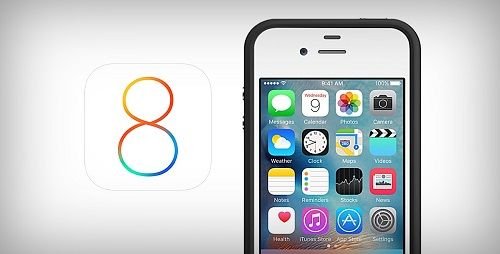
Here’s how to get it done:
Launch your Photos Application and go into your albums.
Navigate to the bottom and click on "Recently Deleted."
Inside that folder, you’ll see all the photos you’ve erased during the past thirty days. To recover you just need to tap the photo you need and press "Recover." You can likewise press "Delete" to permanently delete that photo.
If you are trying to recover photos that are older than 30 days, you’ll need to restore your phone with a saved backup or restore your phone utilizing a saved backup on iTunes or use a third party photo recovery application.
How to recover deleted photos on Android Smart Phones

There are various applications on Google Playstore that can help you recover your lost photos, but I’ll recommend DiskDigger because it’s fast and easy to utilize.
DiskDigger is an Android application that helps you recover deleted photos on your Android smartphone.
It is very easy to use and it works even without your device being rooted.
It can recover lost photos from your device internal storage and your SD card. But if your Android smartphone is rooted, the application will search all of your device’s memory for photos and videos. If your Android smartphone isn’t rooted, the app does a limited scan by searching for thumbnails and cache.
But there are other ways of recovering deleted photos on your device, if you enabled scheduled automatic backup on either Googledrive app or Dropbox app, you can always download them back.
DiskDigger has two versions, the free and premium version. DiskDigger pro version cost $1.6 on Android Playstore. The advantage of the premium app is that you can recover other data apart from photos.
I’ll provide a direct link for the activated premium version
Download DiskDigger application on Android Playstore here
Download DiskDigger activated premium version here
How to recover your photos with DiskDigger application
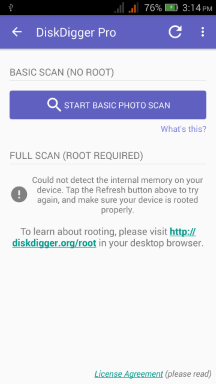
Launch the DiskDigger application and tap on "Start Basic Photo Scan", a list of recently deleted files will be displayed for you to recover.
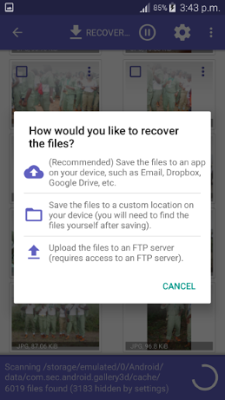
When you see the photo you intend to recover, simply select it and click "Recover" button at the top.
The application will then ask you to select the destination folder where you want the recovered photo to be stored, either internal memory or SD card.


Try This Amazing app Dailymotion Apk
ReplyDelete